Publishing the Schedule
Once you are done with your schedule, you can publish it online as well as send out email notifications to your employees.
Publish and notify
First, click on the Schedule by Employee link in the left menu. At the top of the page, next to the calendar and arrow icons, click on the ... icon. This opens a drop down menu. Click on Publish Schedule.
This opens a publish schedule page on the right-hand side.
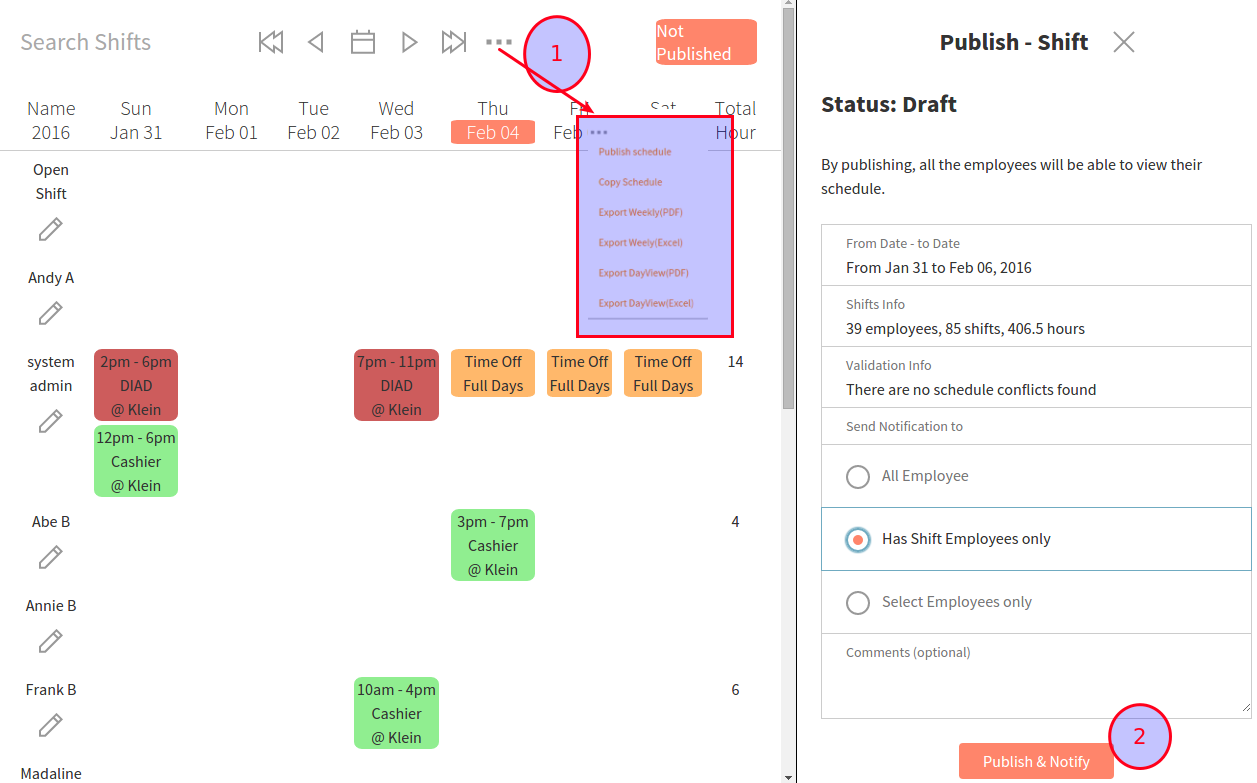
Here, you are able to see information about the schedule:
- Shift Info: the number of employees, hours, shifts . *Validation Info**: any potential warnings about the schedule, such as employees scheduled over 40 hours or if someone requested time off and is still scheduled.
- Notifications: you can notify all employees, only employees scheduled, or specific employees (in the event that you change the schedule after you publish it)
Once you are finished, click Publish and Notify at the bottom.
RePublish and notify
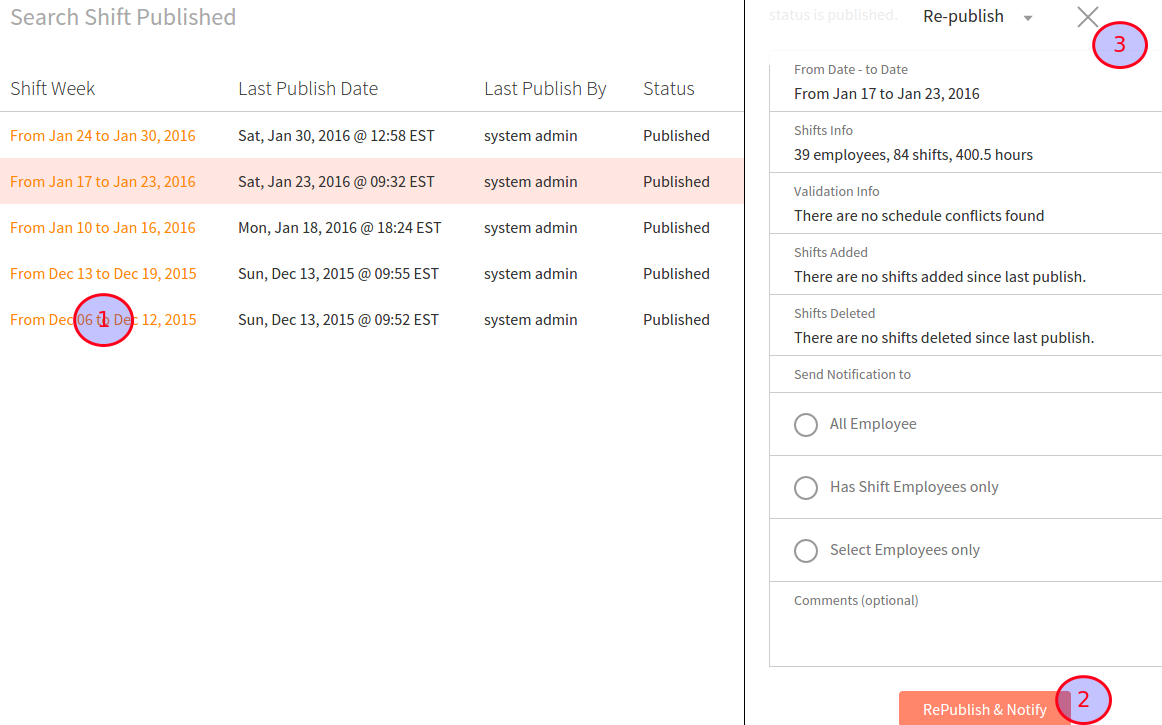
To view published schedules and/or republish schedules, click on the Publish and Notify tab on the left-hand menu. Here, you see the time of each published schedule. By clicking on the orange highlighted date, you can reopen the publish schedule page on the right-hand side.