Time Off and Event
You can use Timeoff & Event to manage employee timeoff and company event.
Add timeoff & event
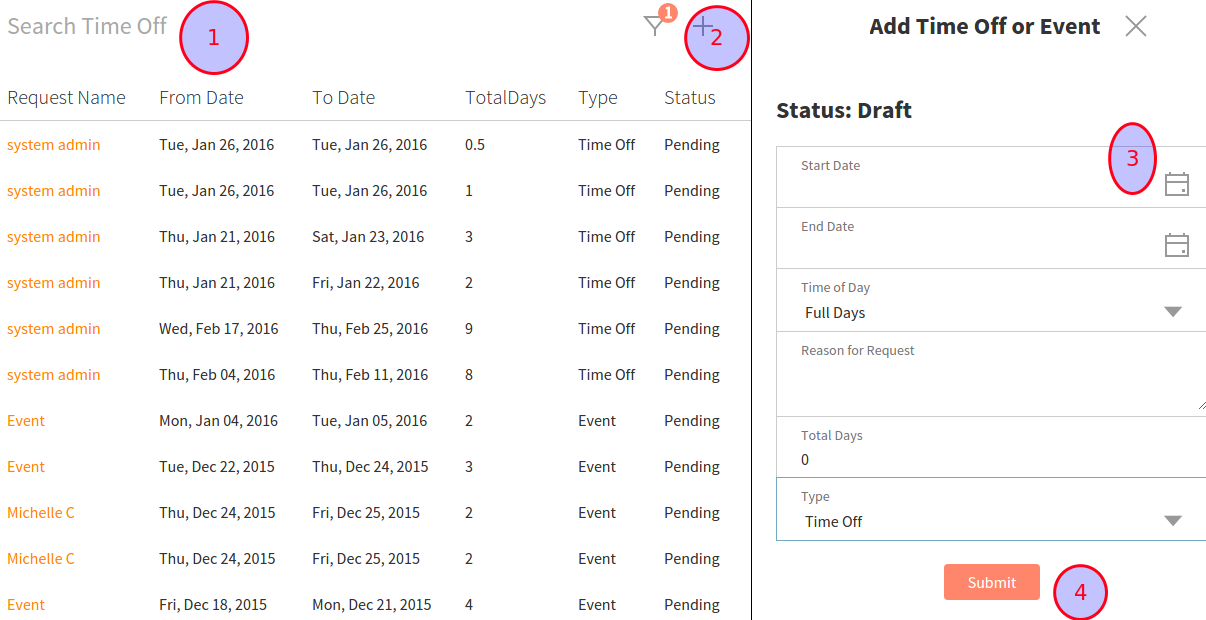
Click the Timeoff & Event link on the left-hand menu. There you see all of the requests for time off as well as their status (pending/approved).
You can use the Search Time off or use the filter dropdown to narrow the result
To created a new request, click the + icon in the top right corner. There a Create New Time Off page appears on the right.
Select the days you want off by clicking on the calendar icon. By default, the type is time off; you can change to Event if you want to create a company event. Those events will show in the My Shift page for each employee.
Finally, click Submit button to Submit.
Approve, reject, cancel
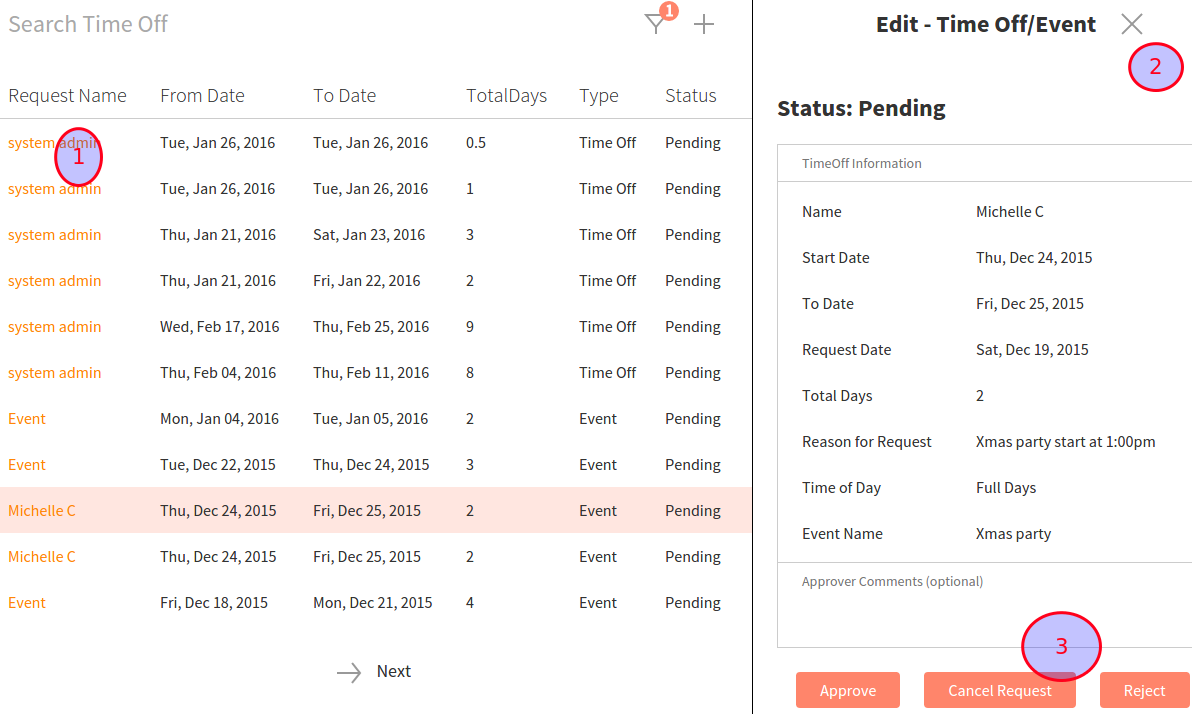
In order to approve or reject requests, click on the request name (highlighted in orange) link. There, a new page appears on the right detailing the days and reason for the request. At the bottom, you can choose to approve, cancel, or reject the request depending on the current status of the request.